
Stream anime torrents, real-time with no waiting for downloads
About •
Features •
Frequently Asked Questions •
Building and Development

## **About**
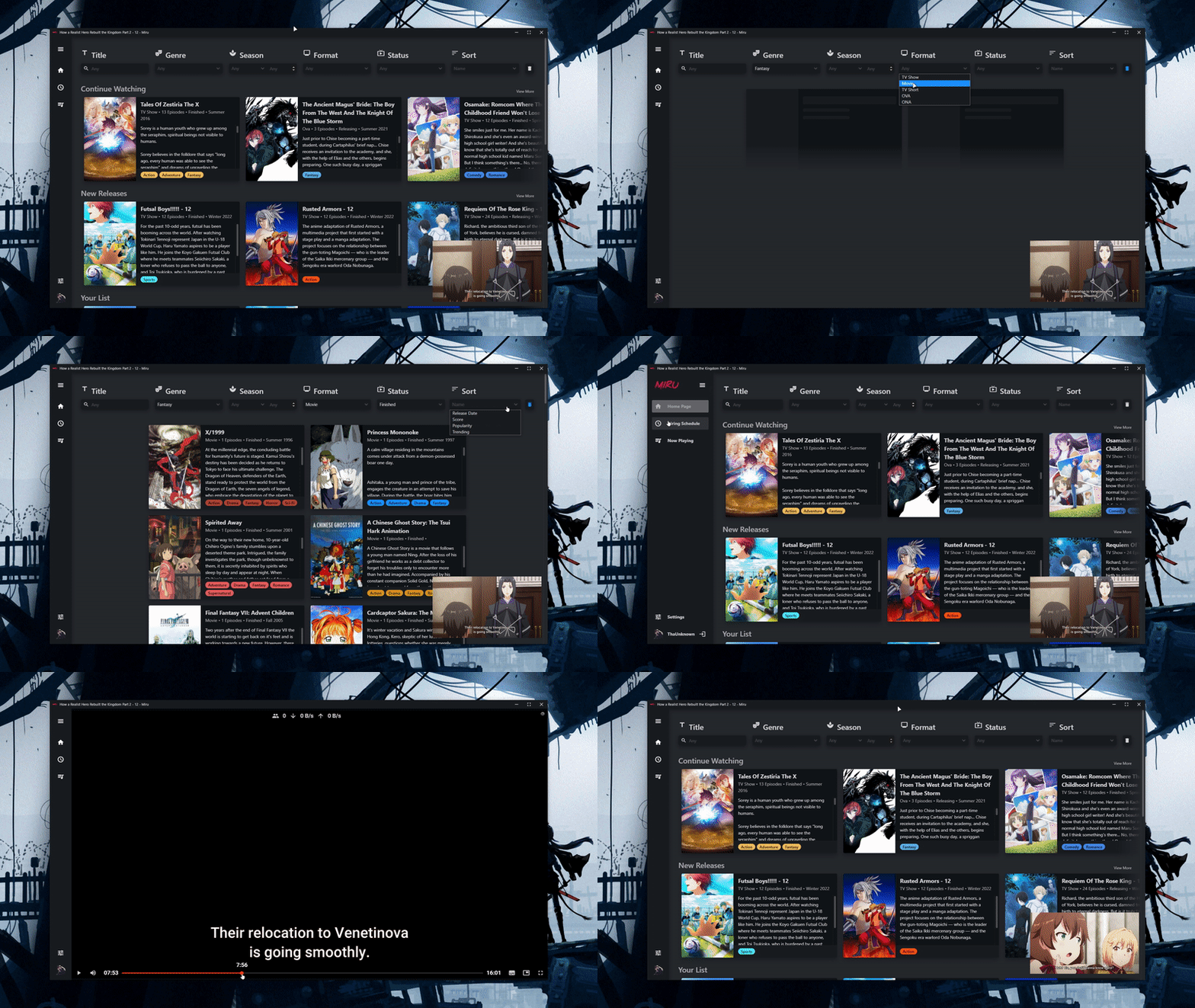
A pure JS BitTorrent streaming environment, with a built-in list manager. Imagine qBit + Taiga + MPV, all in a single package, but streamed real-time. Completly ad free with no tracking/data collection.
Unlike qBit's sequential, seeking into undownloaded data will prioritise downloading that data, instead of flat out closing MPV.
## **Features**
### **Anime:**
- full AniList integration
- filter anime by name, genre, season, year, format, status
- view anime on your planning and watching list
- automatically mark episodes as complete as you watch them
- automatically find torrents for desired episodes
- automatically detect what anime a torrent is
- airing schedule
- find anime by image [just paste an image into the app]
### **Video:**
- full subtitle support
- support for softcoded subtitles
- support for external subtitle files
- support for VTT, SSA, ASS, SUB, TXT subtitles
- subtitle display in PiP
- keybinds for all functions:
- **,** - seek 1 frame backwards
- **.** - seek 1 frame forwards
- **S** - seek forwards 90 seconds [skip opening]
- **R** - seek backwards 90 seconds
- **→** - seek forwards 2 seconds
- **←** - seek backwards 2 seconds
- **↑** - increase volume
- **↓** - decrease volume
- **M** - mute volume
- **C** - cycle through subtitle tracks
- **N** - play next episode [if available]
- **F** - toggle fullscreen
- **P** - toggle picture in picture
- **[** - increase playback speed
- **]** - decrease playback speed
- **\\** - reset playback speed to 1
- **I** - view video stats for nerds
- **`** - open keybinds UI
- miniplayer
- media session display
- media keys support
- Discord rich pressence
- preview thumbnails
- pause on lost focus
- autoplay next episode
- multi-audio support
### **Torrent:**
- select downloads folder
- specify download/upload speeds
- support for most popular BEP's
- support for custom torrent RSS feeds for latest releases
- change what resolution to find torrents in
- stream real-time with no waiting for downloads
## **Building and Development**
Dependencies:
- Node 16 or above
To build/develop, in the root folder of the repo you need to first run:
```bash
npm install
```
To build for your OS just run:
```bash
npm run build
```
To run the development server run:
```bash
npm start
```